

Organizations
Organizations
Shared memory, skills and token visibility for teams
An organization gives a team one shared memory on top of everyone’s personal memory. Every member’s agent searches the organization’s memory alongside their own on every recall, so the whole team works from the same decisions, conventions and project history — while each person’s own memory stays private.
Creating an organization needs the Business or Enterprise plan. Members can be on any plan, or use a seat the organization pays for.
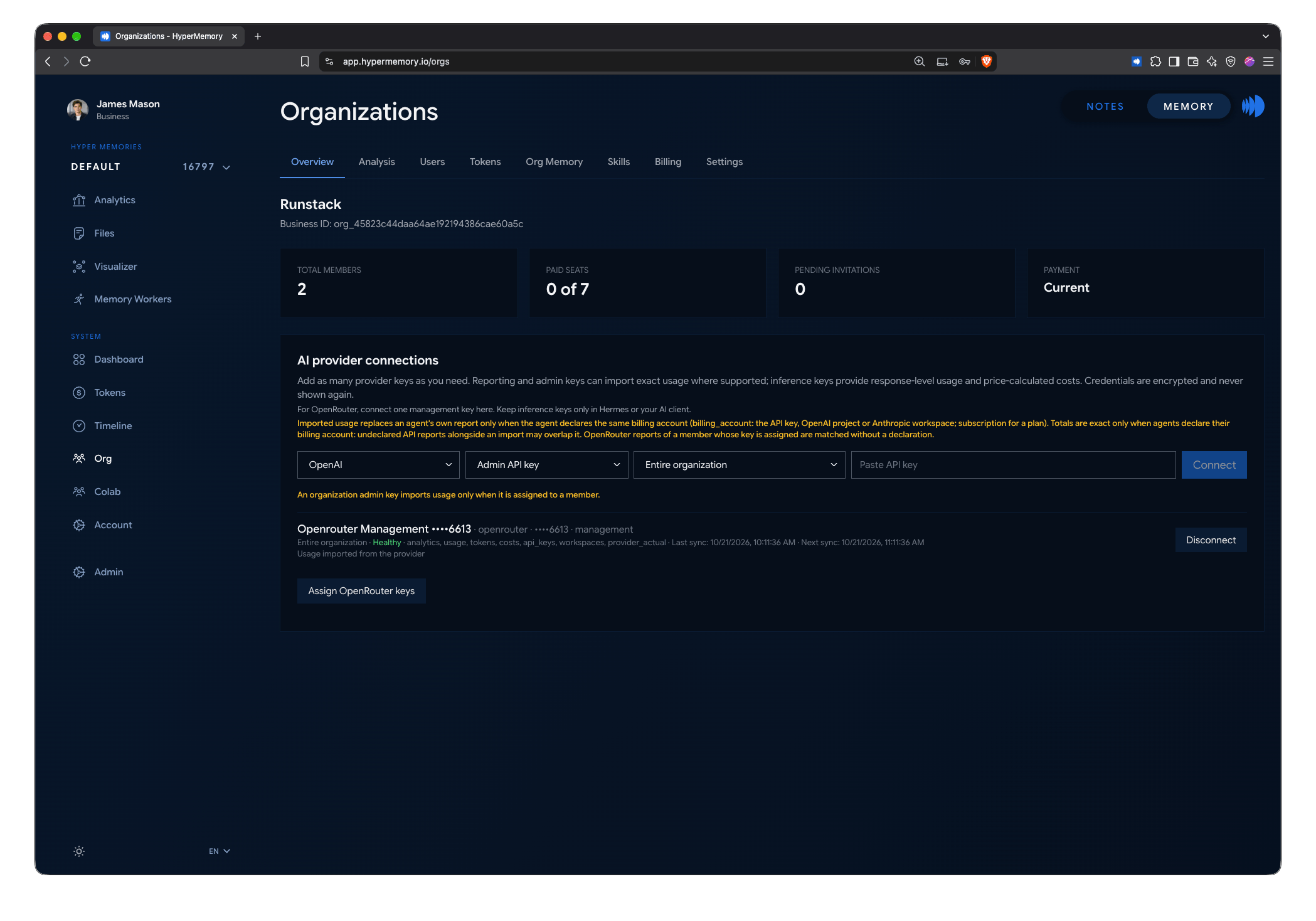
The Org page: members, seats, invitations and provider connections.
What an organization includes
Organization memory
One shared graph, searched with every member's recall. Read-only for members; admins write to it through organization write mode.
Members & roles
Invite people as admins or users, buy seats, and see which AI clients each member uses.
Organization skills
Publish agent skills once; every member's agent receives them through hm_skill.
Token usage
See AI token usage across all members, by model, provider, tool and kind of work — and import exact usage from provider accounts.
Set up an organization
Create it
In the dashboard, open Org and create your organization with a name. Each account can own one organization.
Choose its memory graph
On Org → Memory, pick which of your graphs is the organization's memory. It must be a graph other than your default one — create a new graph first if you need to. Only the owner can choose or replace it.
Add knowledge
Turn on organization write mode and let your agent store the team's conventions, decisions and project context — or upload documents.
Invite members
On Org → Billing, invite people by email as Org admin or Org user. Buy seats for anyone who doesn't have their own paid plan.
Publish skills (optional)
On Org → Skills, publish agent skills your team should share.
Organization pages
| Page | What you do there |
|---|---|
| Org | Overview: members, seats, pending invites, payment status and provider connections. |
| Org → Memory | Choose the organization’s graph; turn organization write mode on or off. |
| Org → Users | Members and the AI clients and accounts each one uses. |
| Org → Analysis | Search the organization’s graphs. Members’ personal graphs are never included. |
| Org → Tokens | Token usage across the organization. |
| Org → Skills | Organization agent skills. |
| Org → Billing | Seats, members and invitations. |
| Org → Settings | Organization profile and provider connections. |
Privacy
- Members’ personal memory stays private. Admins can’t search it, and organization analysis never reaches it.
- The organization graph is visible to every member through recall.
- Token usage reports from members are visible to the organization’s admins.