

Features
Skills Distribution
Write agent skills once and deliver them to every agent you and your team connect
An agent skill is a SKILL.md file — instructions, a process, reference material — that teaches an agent how to do something. HyperMemory stores your skills and delivers them to every connected agent through hm_skill and hm skill, so Claude, Codex, Cursor and the rest all work from the same, current instructions.
Creating custom skills needs the Pro plan or above. Every plan receives HyperMemory’s built-in and system skills.
Kinds of skills
| Kind | Who manages it | Who receives it |
|---|---|---|
| Built-in | HyperMemory | Everyone. The HyperMemory protocol (general, project, cursor, cli) and memorize-full-chat. |
| System | HyperMemory | Everyone. Domain skills such as hypermemory-software-development, hypermemory-marketing, hypermemory-legal and memory-quality-audit. |
| Personal | You | Your agents. |
| Organization | Organization admins | Every member’s agents, on any graph. |
Agents only ever receive published revisions.
Organization skills
Organization admins publish skills on Org → Skills. Every member’s agent receives them through hm_skill — on any graph, each labelled with the organization it comes from — so the whole team works from the same instructions. Members can read and install organization skills but not change them.
Create a skill
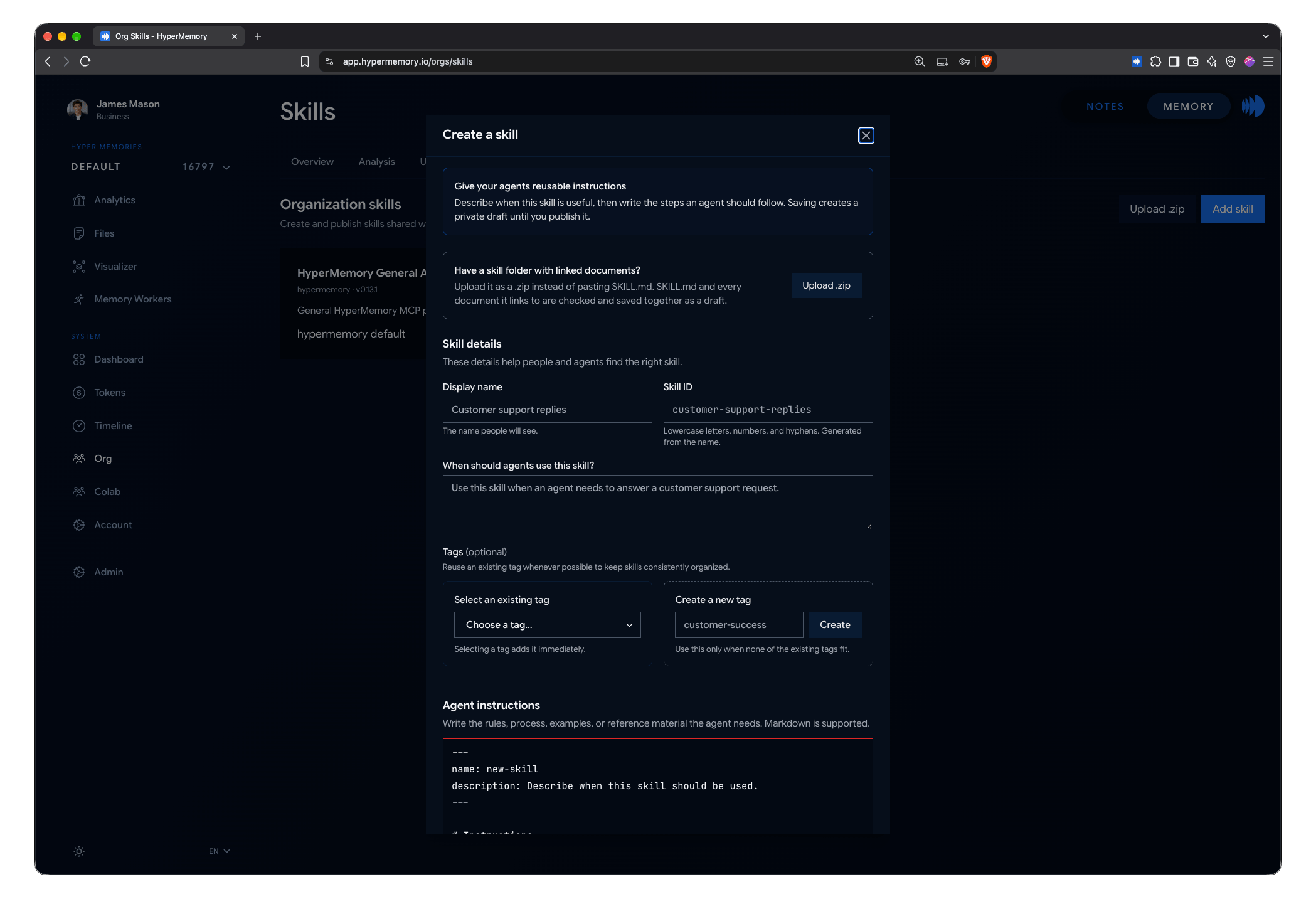
Write a skill, paste a SKILL.md or upload a .zip.
Open Skills
Open Account → Skills for a personal skill, or Org → Skills for an organization skill.
Write it or upload it
Choose Add skill and either:
- fill in the name, when agents should use it, tags and the instructions (Markdown), or
- paste a complete SKILL.md, or
- Upload .zip — a skill folder with SKILL.md and its supporting documents.
Save as draft
Saving creates a private draft. Edit it until it's right; Replace from .zip swaps in a new version of the folder.
Publish
Publish makes the current draft available to agents as a new revision.
SKILL.md format
A SKILL.md starts with a YAML header and continues with Markdown instructions, following the open Agent Skills format:
---
name: customer-support-replies
description: Use when an agent needs to answer a customer support request.
---

# Customer support replies

1. Recall the customer's history with hm_recall before replying.
2. ...nameuses lowercase letters, numbers and single hyphens (up to 64 characters) and must match the skill’s ID.descriptionsays when an agent should use the skill.
Skills with supporting documents
A .zip can carry documents beside SKILL.md: .md, .markdown, .txt, .json, .yaml, .yml and .csv, in UTF-8.
- SKILL.md sits at the root of the archive or in one folder named like the skill.
- Every relative link must resolve inside the skill, and every document must be reachable from SKILL.md.
- JSON and YAML files must parse.
- Scripts, binaries, hidden files, unsafe paths and nested SKILL.md files are refused.
- Limits: 4 MiB per archive, 50 documents, 256 KiB per document, 2 MiB in total.
If anything is wrong, the dialog lists every problem at once.
Deploy skills to your agents
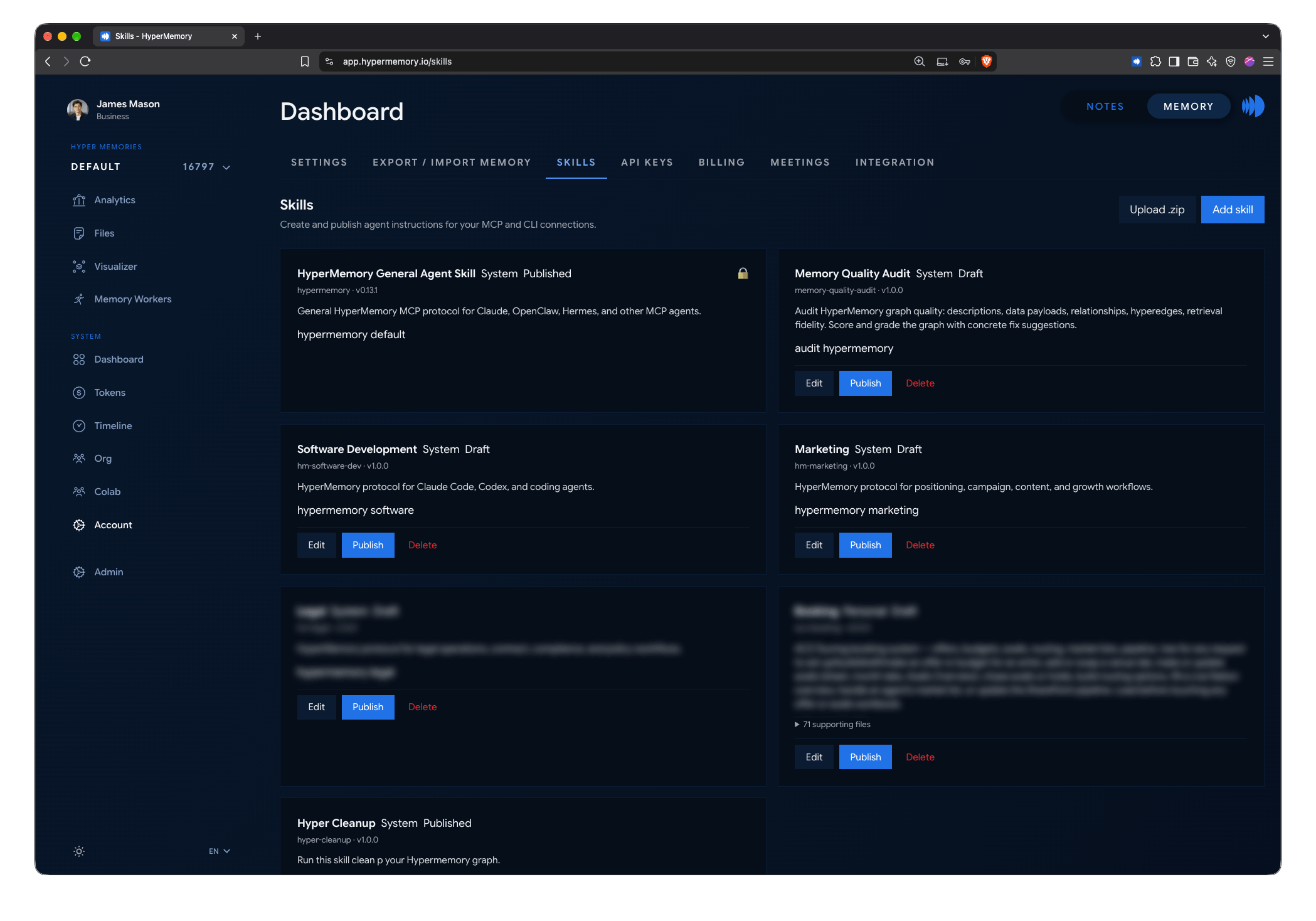
Published skills are delivered to every connected agent.
Install skills in your agents
| Client | How |
|---|---|
| Claude Code, Codex (plugins) | The HyperMemory skill is installed and kept current by the plugin. |
| Any agent connected over MCP | Ask it to fetch a skill with hm_skill and save it verbatim. |
| claude.ai chat | Ask Claude to download the skill as a .skill file and install it. |
| From the shell | hm skill install --name customer-support-replies --dir ~/.claude/skills writes SKILL.md and its documents, verifying every checksum. |
hm_skill with action: "check_update" tells an agent when a newer revision is published.