

Features
Dashboard
A tour of app.hypermemory.io
The HyperMemory dashboard is where you see and manage your memory, connect your tools, and run your account and organization.
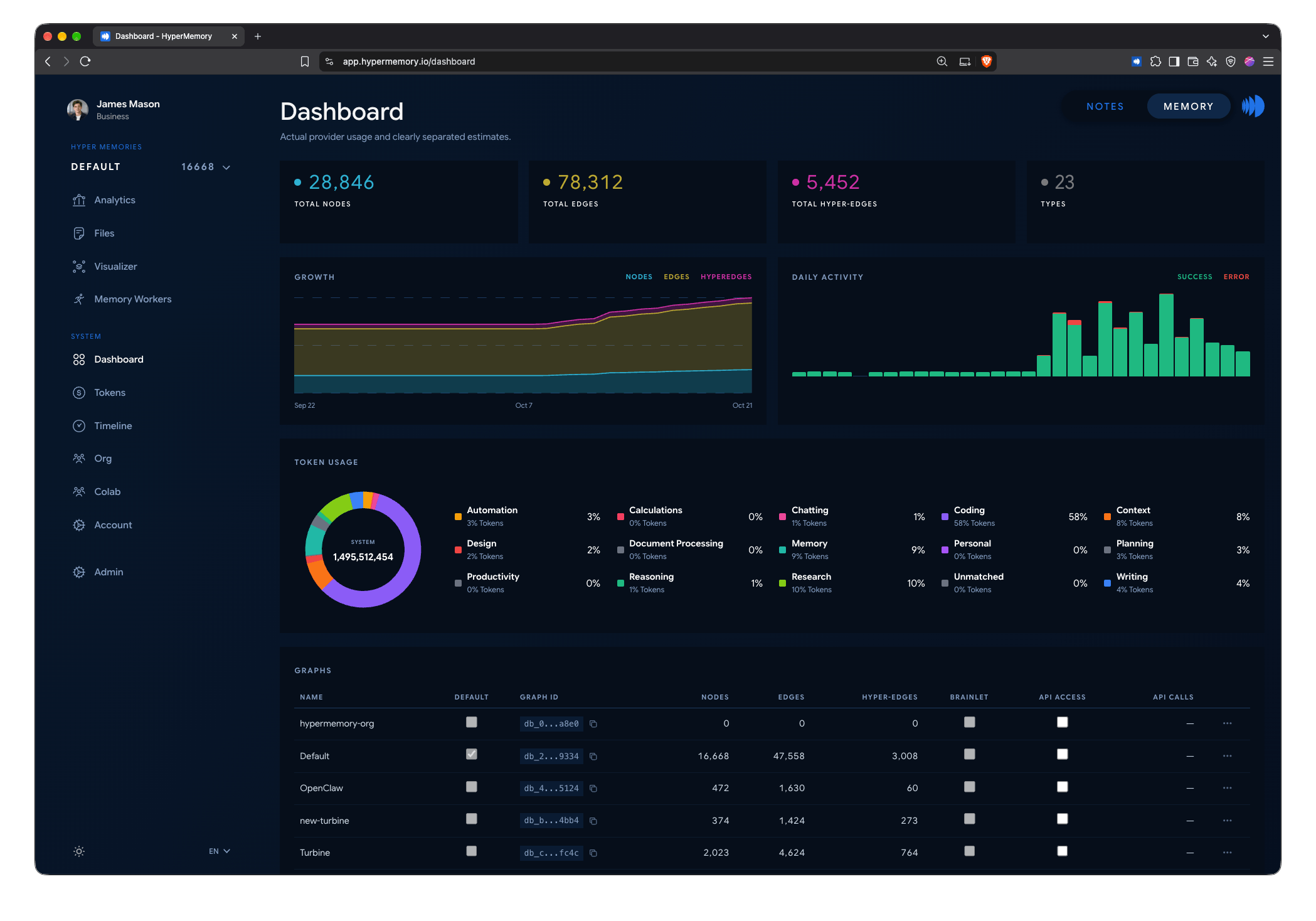
The Dashboard: your graphs, node and edge totals, API activity and token usage.
Hyper Memories
| Page | What it’s for |
|---|---|
| Analytics | Totals, recent activity, tool usage, node types in your graph, background worker status and token summary. |
| Files | Upload, download, reparse and delete files; see processing status and your document allowance. See Files. |
| Visualizer | Explore your memory graph and watch your agents read and write it live. See Visualizer. |
| Memory Workers | Background workers that maintain your graph — see below. |
System
| Page | What it’s for |
|---|---|
| Dashboard | Your memory graphs (create, rename, set default, delete, copy ID, toggle public API access), graph totals, API performance, per-key usage and a token summary. |
| Tokens | AI token usage across your agents. See Token usage. |
| Timeline | Everything that happened in your memory, newest first, with search and period filters. See Temporal memory. |
| Org | Your organization, if you have one or belong to one as an admin. |
| Account | Settings, export, skills, API keys, billing, meetings and integrations. |
Notes has its own space in the dashboard, and apps for iPhone, iPad and Android. See HyperMemory Notes.
Account
| Page | What it’s for |
|---|---|
| Settings | Profile picture, email and password, organization invitations and memberships, AI subscriptions, sign out, delete account. |
| Export | Export your graph, timeline and notes; import a graph. See Account & data. |
| Skills | Your custom agent skills. See Skills Distribution. |
| API Keys | Create and revoke keys. See API keys. |
| Billing | Your plan, usage this month, upgrades and the Stripe billing portal. See Plans. |
| Meetings | Calendar connection and meeting settings. See Meetings. |
| Integration | Step-by-step setup for Claude, ChatGPT, Cursor, the CLI and other MCP clients; skill downloads; and the apps connected to your memory, which you can disconnect. |
Memory workers
Memory workers run in the background to keep your graph healthy. Run them now or put them on a schedule (every 24 hours, 48 hours or 7 days):
| Worker | What it does |
|---|---|
| Enrichment | Core maintenance: enriches pending nodes, discovers types and relationships, de-duplicates, cleans up orphans, detects hyperedges and keeps your profile current. |
| CRM | Builds your contacts: discovers people and organizations, enriches their profiles and links them. |
| Lens | Runs a lens skill that adds a typed layer of relationships to the graph. |
Each run is listed with its duration, changes and errors.
Memory graphs
Your account starts with one graph. Pro and above can have more — for separate clients, projects or agents. See Memory graphs.