

Features
Token usage
See how many AI tokens you and your team use, on which models, tools and kinds of work
HyperMemory tracks the AI tokens your agents use — across Claude, ChatGPT, Codex, Cursor and every other connected client — in one place. You see totals, cost where it’s known, and what the tokens were spent on: coding, research, writing, planning and more.
The token usage dashboard is included from the Basic plan up. Organization token usage needs an organization.
Where the numbers come from
| Source | How | Quality |
|---|---|---|
| Agent reports | At the end of each turn, the agent sends one hm_tokens report: model, tool, token counts and a breakdown of the work. The plugins do this automatically. | Exact when the client exposes usage (Codex, API hooks); estimated otherwise (Claude Desktop, ChatGPT), and labelled as such. |
| Provider imports | An organization admin connects a provider account (OpenAI, Anthropic, OpenRouter). HyperMemory imports the provider’s own usage records. | Provider-actual. Replaces the agent reports that declared the same billing account. |
The dashboard always keeps actual provider usage and estimates clearly apart.
The dashboard
Open Tokens in the dashboard.
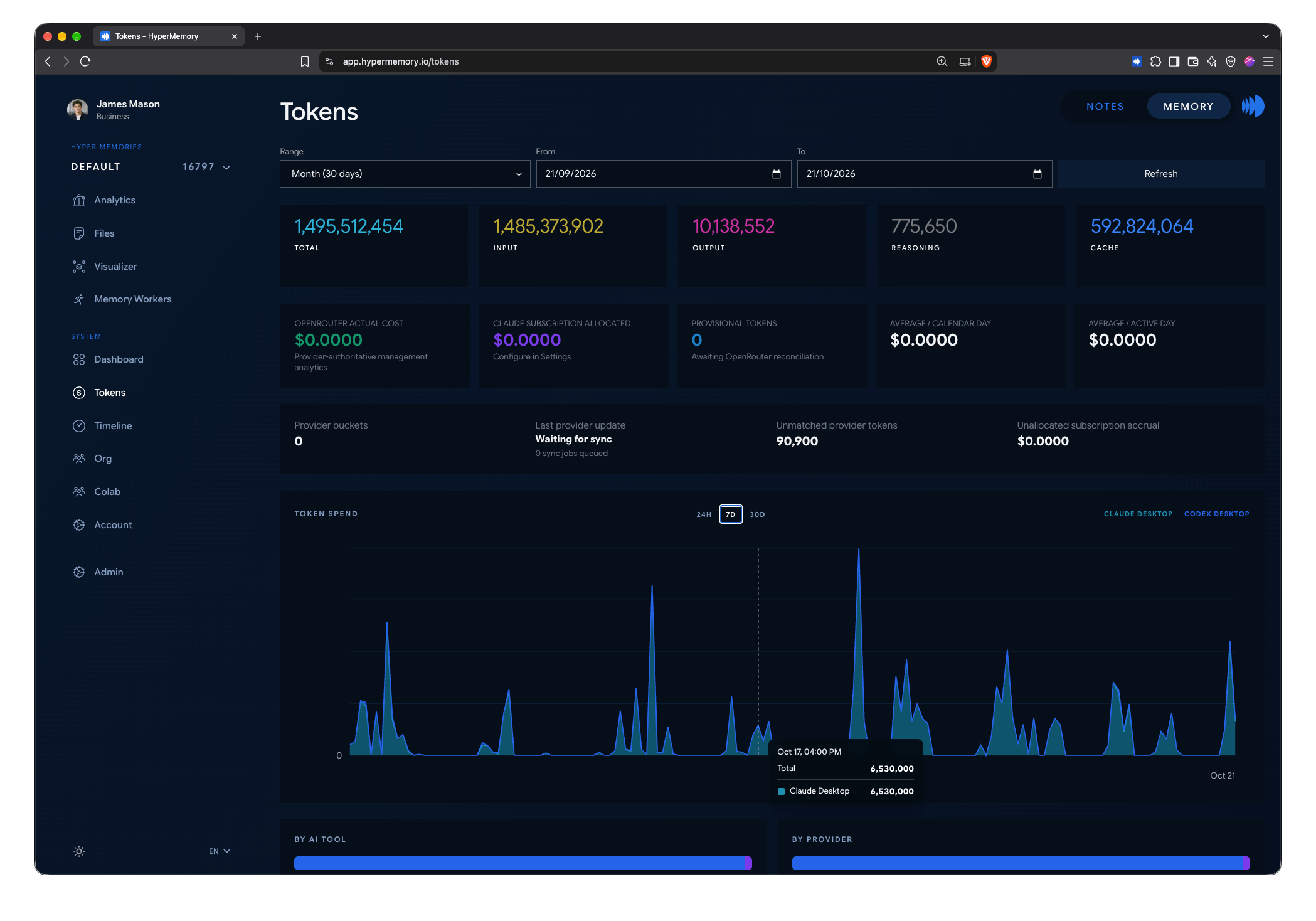
Totals, costs and token spend over time.
- Range — the last hour, 24 hours, 30 days or 3 months, or a custom range of up to 93 days.
- Totals — total, input, output, reasoning and cache tokens.
- Cost — actual cost from connected provider accounts, and subscription cost allocated from your Claude and ChatGPT plans.
- Token spend — a chart over time, by tool, with 24-hour, 7-day and 30-day views.
- Averages per calendar day and per active day.
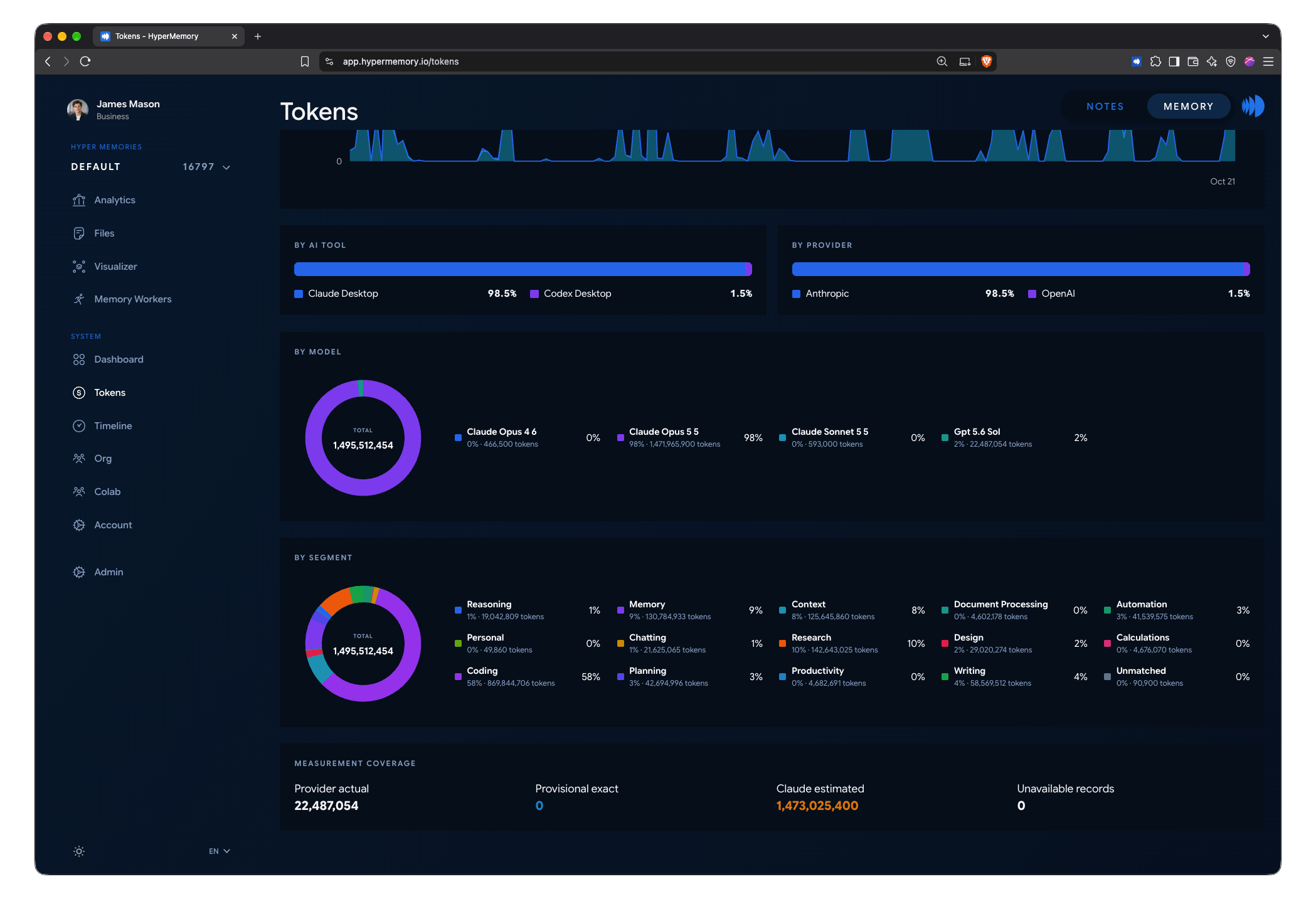
Where the tokens went: by AI tool, provider, model and kind of work.
- By AI tool, by provider and by model — where your tokens go.
- By segment — what the work was:
coding,research,writing,planning,reasoning,design,doc_processing,calculations,automation,productivity,chatting,personal, plus HyperMemory’s own overhead (memory) and reading (context). - Measurement coverage — how much is provider-actual, exact, estimated or unavailable, so you know how far to trust the totals.
Organization token usage
Admins see the whole organization on Org → Tokens: the same breakdowns across every member, plus per-member views. Org → Users shows which AI clients and accounts each member uses.
Connect provider accounts
On Org or Org → Settings, admins connect provider accounts so HyperMemory can import exact usage:
| Provider | Connection | Imports exact usage |
|---|---|---|
| OpenAI | Admin key | ✓ — attributed to the member you assign |
| Anthropic | Admin key | ✓ — attributed to the member you assign |
| Anthropic | Analytics (Claude Enterprise) | Engagement analytics |
| OpenRouter | Management key | ✓ — with per-key member mapping |
| MiniMax, DeepSeek, GLM / Z.AI, Moonshot / Kimi, fal.ai, Higgsfield | API key | Stored for the organization; usage import not available |
Keys are encrypted at rest and shown only as their last four characters.
Make totals exact
Agents should declare what each call was billed to with billing_account on hm_tokens — subscription, api_key:<id>, project:<id> or workspace:<id>. When a provider import arrives for that account, it replaces the matching agent reports. Reports without a billing account stay counted beside the import, so totals are exact only when agents declare it.
Subscriptions
Under Account → Settings, record your Claude and ChatGPT subscriptions (Free, Pro, Max; Plus, Pro) and link the clients that use them. HyperMemory uses this to allocate subscription cost across your usage.